
The rig
One screen, the whole signal path
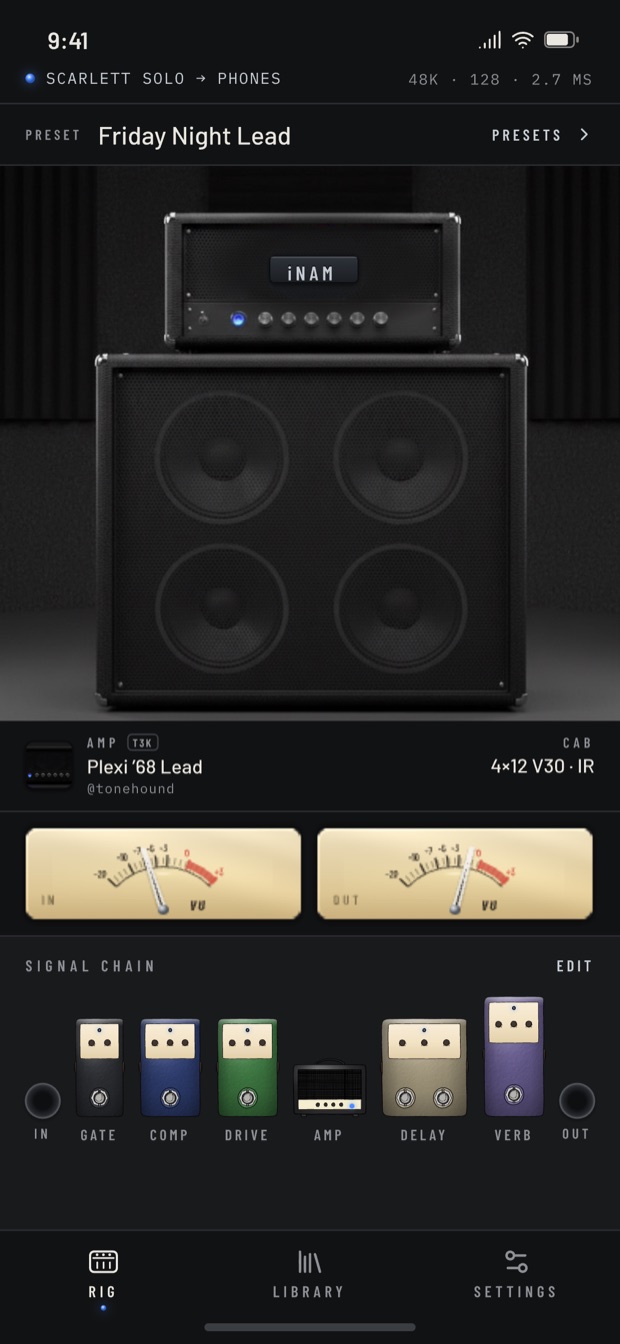
The amp you loaded, the cabinet it is running through, input and output meters, and every pedal in the chain — in the order the signal actually hits them. Tap a pedal to change it, drag to reorder, and watch the meters rather than guessing whether you are clipping the input.
The status strip along the top is the part that matters when something sounds wrong: which interface you are plugged into, where the sound is going, and the sample rate, buffer and round-trip latency you are actually getting right now.
Your captures
Bring your own amps
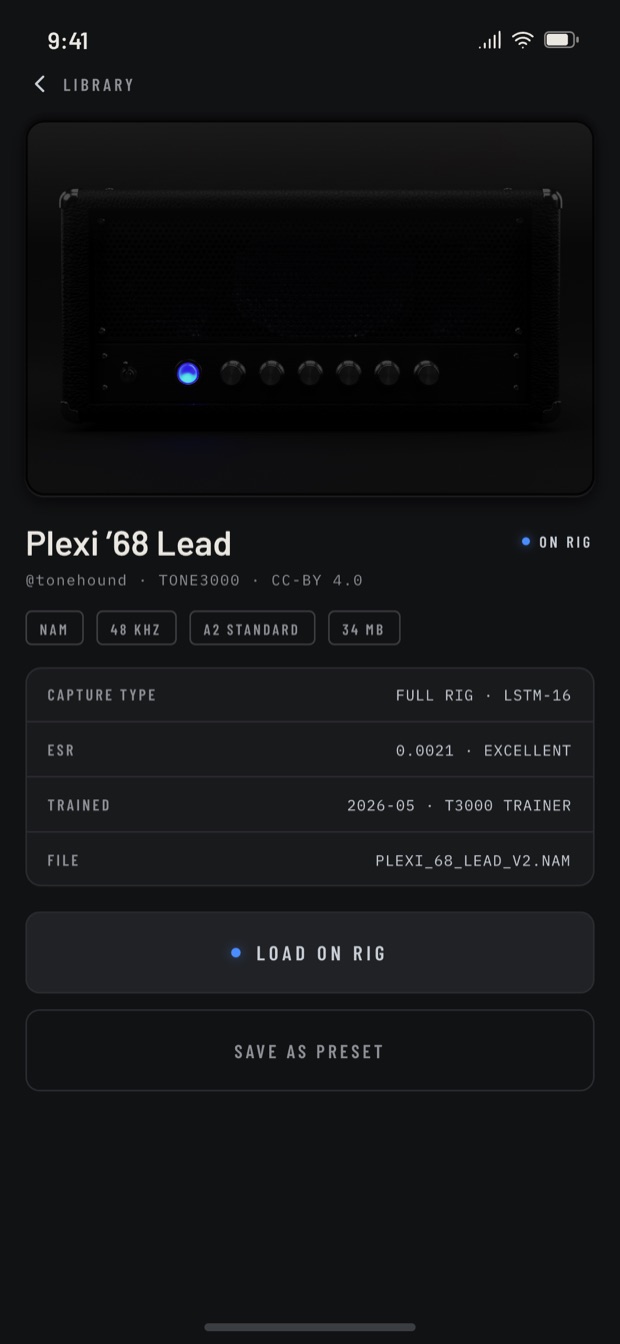
Neural Amp Modeler captures are an open format, and iNAM plays the same files everything else does. Ones you captured yourself, ones a friend sent you, ones from the thousands the community has shared for free — they all load, and they stay yours.
Every capture keeps its own details: who made it, what licence it carries, what it was trained on, and how closely it matched the amp it came from. What a capture actually is, if this is new to you.
Pedals
Gate, drive, delay, reverb
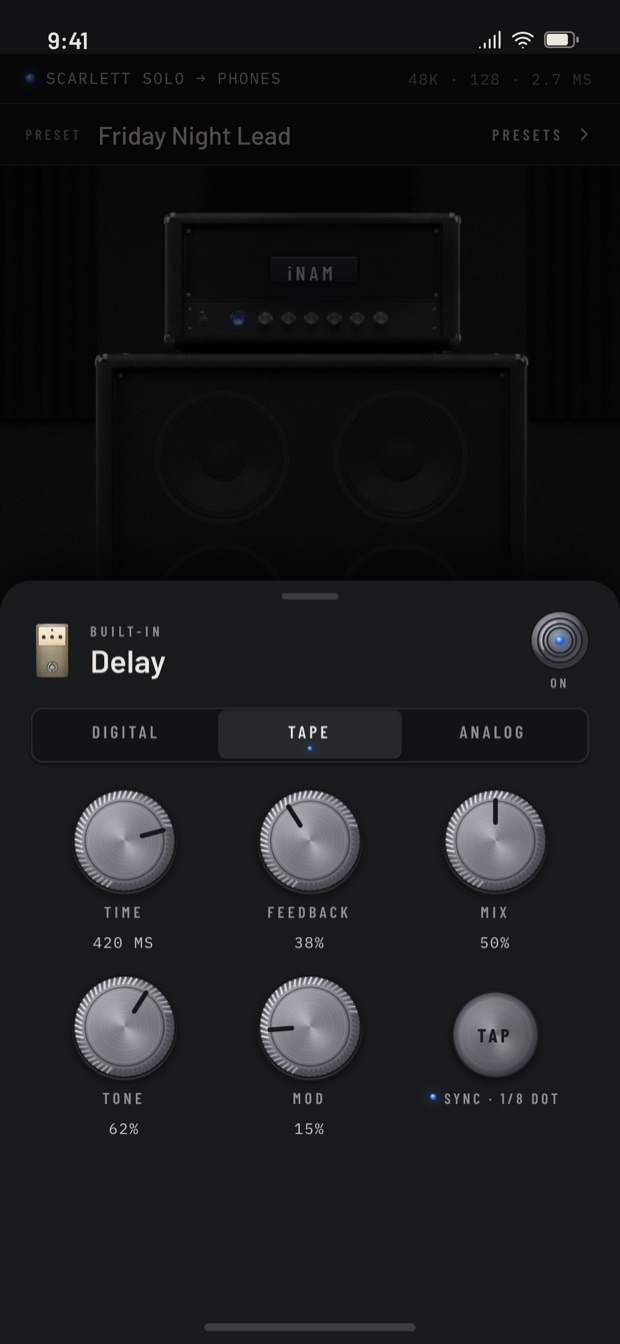
A capture is a photograph of an amp at one setting, which is wonderful and also completely inflexible. The pedals are what make it playable: clean up a noisy pickup, push the front end harder, put the whole thing in a room.
Every pedal has real controls rather than a single mix knob, and the chain is yours to arrange.
Presets
Set it up once
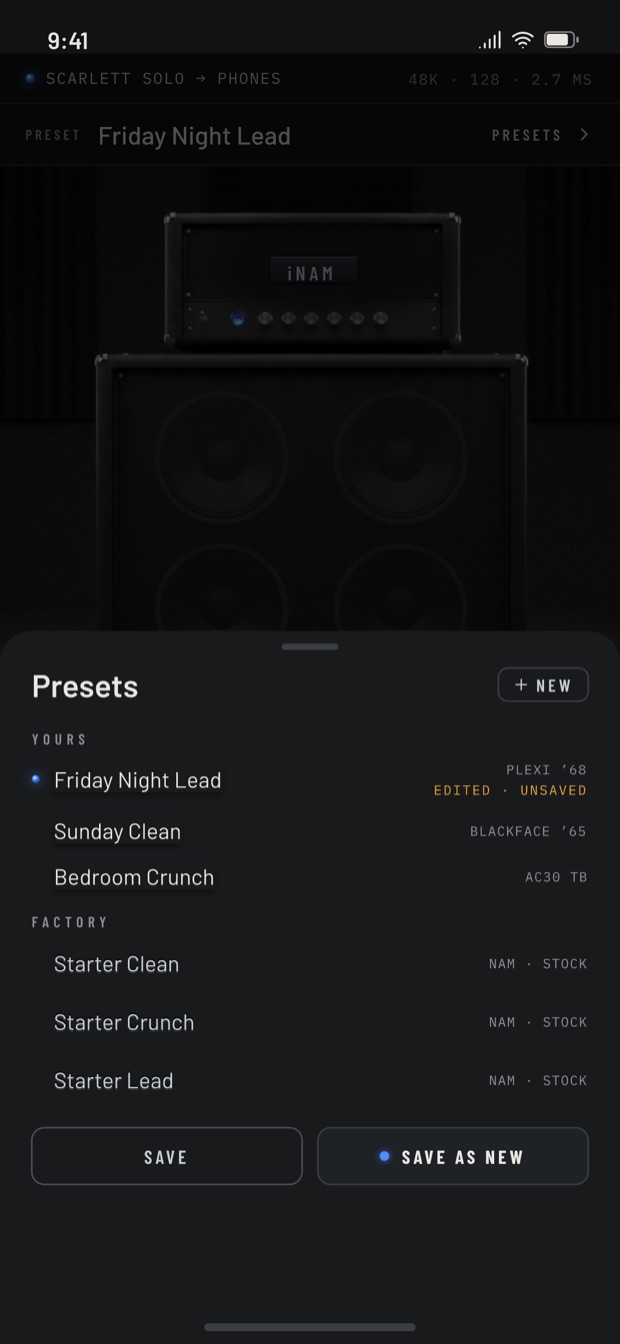
Save the whole rig — amp, cabinet, pedals, levels — and get back to it in one tap next time. The point of playing through a phone is that there is nothing between deciding to play and playing, and a preset is what keeps it that way.
What it costs
$4.99 — one-time purchase, no subscription, covering iPhone and iPad. No trial that lapses, no monthly tier, and no amps waiting behind a second purchase.
New to this
Getting into Neural Amp Modeler
NAM is an open-source project, not a product anybody sells, and that is both its strength and the reason it can be confusing to start with. These are the five things worth understanding, roughly in the order you will need them.
- What a capture actually is — why a photograph of one amp at one setting beats a modelled amp with knobs, and why you still need a cabinet after it.
- The one piece of hardware you need — you cannot plug a guitar into a phone. This is the step that stops most people before they start, and it is not an expensive one.
- Playing your first capture — download a file, open it, plug in. No computer involved at any point.
- Where the captures come from — thousands of real amps, pedals and cabinets, captured and shared by other players, most of them free.
- Capturing your own amp — it needs a computer and an afternoon rather than expensive gear, and the library is short of ordinary amps that nobody thought to capture.
Beyond that: what the A2 architecture changed, and how NAM compares to ToneX and Kemper. All of it is on the guides page.